- Real Arduino sensors (buttons, dial, piezo)
- Chataigne middleware routing serial data to OSC
- Qualisys motion-capture system tracking chef hats
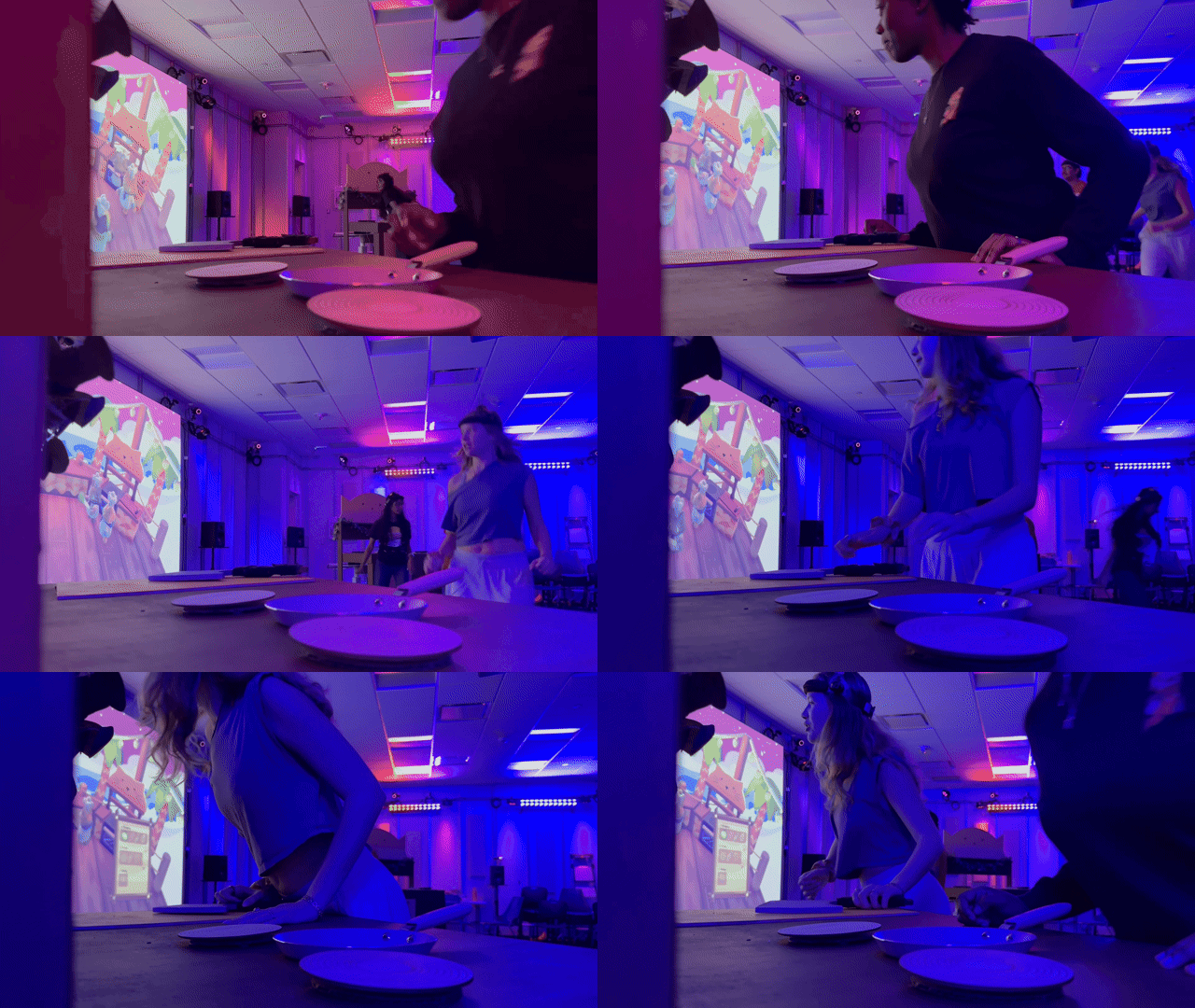
- Full physical kitchen setup
Mr. Meow's Kitchen
A motion-tracked cooking game where physical actions in a real kitchen translate to digital gameplay. Two teams race to complete pies using Arduino-powered stations, motion capture, and chaotic Overcooked-inspired mechanics.
Unity 2021.3.45f2
C#
Qualisys Motion Capture
Arduino
OSC Protocol
Chataigne
TouchDesigner
Project Trailer
Core Concept

Two teams of two players race to complete pies faster than their opponents. Players wear chef hats fitted with motion-capture markers that track their position in a physical kitchen space. Real cooking stations—complete with Arduino-powered cutting boards, frying pans, and ovens—translate physical actions into in-game progress. The goal: total immersion, where the line between physical and digital cooking blurs.
Team
Ella
Project Manager / UX / UI
Sloane
Art Director / Graphic Design & Type
Crystal
2D Art / Animation
Patrice
3D Art / Animation
Helena
Software / Motion Capture
Sandhya
Fabrication
Sebastian
Hardware / Electrical Engineer
Will
Music
My Contributions: This case study focuses on the technical architecture I designed and implemented. The technical design was done collaboratively with Crystal Hicks, while all coding was completed by me. I also created shader systems for the game, documented separately:
- Gradient Mapping Exploration - 3-color gradient shader with dual-gradient lerp for 2D backgrounds
- Toon Shader - Stylized cel-shaded rendering for kitten characters
Technical Architecture
Mr. Meow's Kitchen is built using a modular, event-driven architecture centered around singleton managers and inheritance hierarchies. The system emphasizes loose coupling between components, allowing us to iterate quickly and support complex multi-team gameplay with physical hardware integration.
Architectural Principles
1. Event-Driven Communication
┌─────────────┐
│   Arduino   │ (Physical sensors)
└──────┬──────┘
       │ Serial
┌──────▼──────┐
│  Chataigne  │ (OSC routing)
└──────┬──────┘
       │ OSC
┌──────▼──────────┐
│ ArduinoManager  │ (Receives OSC, broadcasts events)
└──────┬──────────┘
       │ Events (OnStrengthReceived, OnStirButtonPressed, etc.)
       ├────────┬────────┬────────┬────────┐
       ▼        ▼        ▼        ▼        ▼
 CuttingStep  FryStep  OvenStep  StepUI  AudioManager
Rather than tightly coupling systems through direct references, we use C# events/delegates extensively. For example, ArduinoManager broadcasts OnStrengthReceived, OnStirButtonPressed, OnTemperatureReceived, while CookingStep emits OnStepCompleted and OnStateChanged. GameManager fires OnTeamWon and OnMatchStateChanged.
This pattern means a cooking step doesn't need to know about UI, audio, or recipe tracking—it just announces when it's completed and interested systems respond. This made adding features like audio feedback or progress bars simple; we just subscribed new listeners to existing events. This was a huge factor in our success during a rushed production time period of around 8 weeks.

2. Inheritance for Modularity
We built reusable base classes that capture common patterns:
TriggerStation (abstract base)
All station types inherit from this. Handles player detection, team checking, collision logic.
Subclasses: StepStation, TrashStation, PresentStation, SkinSelectionStation, TeamFormationStation
CookingStep (abstract base)
All minigames inherit from this. Manages ingredient delivery, Arduino action tracking, state machine, timers.
Subclasses: CuttingStep, FryPanStep, OvenStep
StepUI<T> (generic base)
All cooking UI inherits from this. Handles show/hide animations, progress bar lerping, success/failure effects.
Subclasses: CuttingStepUI, FryPanStepUI, OvenStepUI
This meant we could implement the frying pan minigame by writing ~100 lines specific to stirring logic, while inheriting all the state management, ingredient handling, and Arduino integration for free.
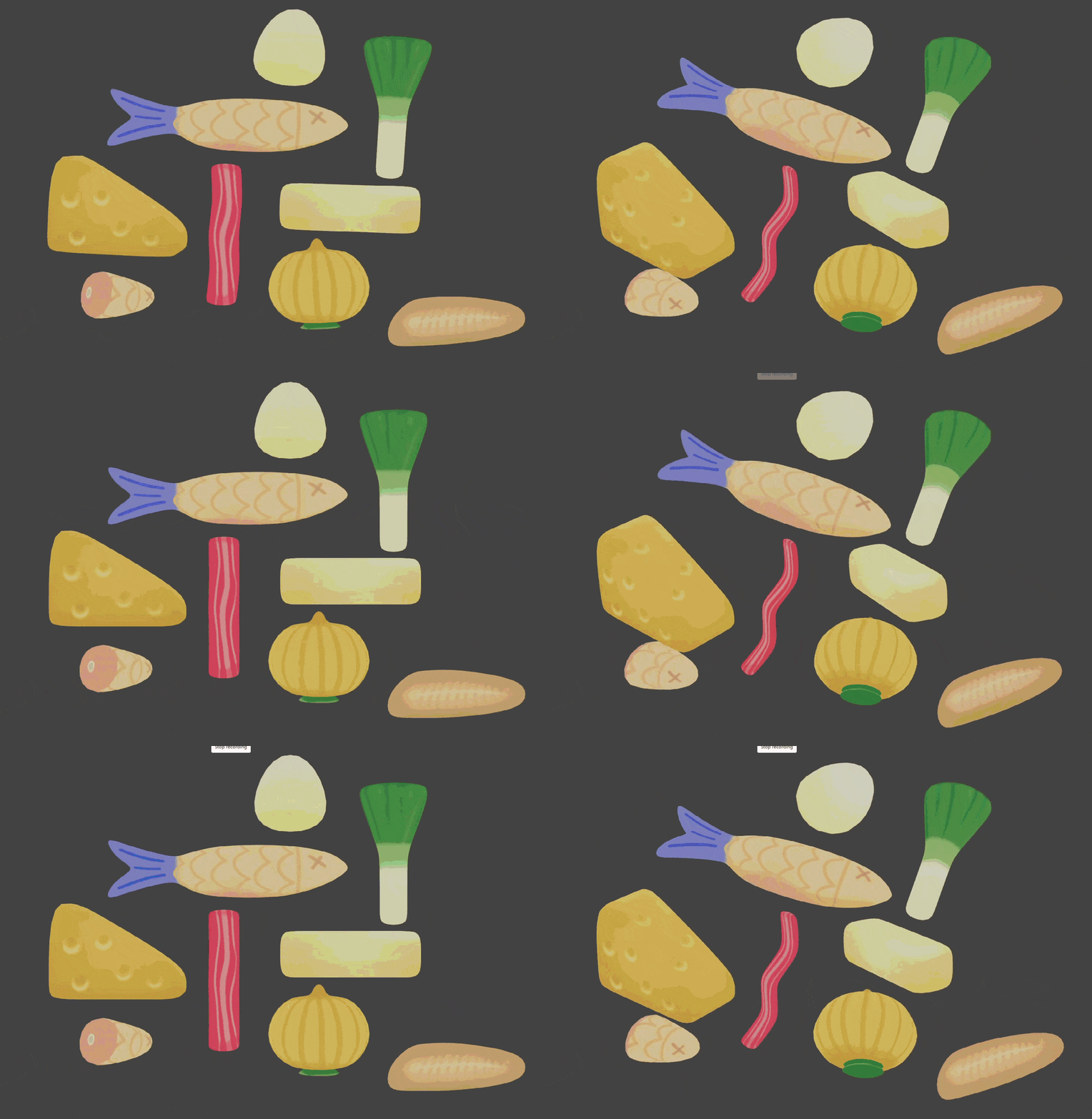
3. Data-Driven Design with ScriptableObjects
IngredientData ScriptableObjects define:
- Which cooking step an ingredient targets
- Prefab references and hold positions/rotations/scales
- UI sprites (filled vs empty states)
- Recipe chain relationships (which step to cascade-reset from)
This allows for easy configuration of ingredient behavior without touching code. As we playtested the game and made changes, it simplified the process of making minor tweaks that had major positive effects on gameplay!
Core System Overview
Singleton Managers
- GameManager: Match state (NotStarted → Racing → Finished), win condition detection, timer
- PreGameManager: Player selection flow (SkinSelection → TeamFormation → Graphic → Complete)
- ArduinoManager: OSC listener, event broadcaster for physical inputs, simulation methods
- AudioManager: Music/SFX playback, crossfading between menu and gameplay
- StepUIManager: Routes cooking step UI to correct team's display
- QTMManager: Polls Qualisys motion capture, sends transform data to PlayerManager
- PlayerManager: Maps RT objects to player instances, routes tracking updates
Team Isolation Architecture
┌─────────────────────────────┐  ┌─────────────────────────────┐
│       TEAM A KITCHEN        │  │       TEAM B KITCHEN        │
│                             │  │                             │
│  ┌───────────────────────┐  │  │  ┌───────────────────────┐  │
│  │  RecipeManager (A)    │  │  │  │  RecipeManager (B)    │  │
│  │  IngredientManager (A)│  │  │  │  IngredientManager (B)│  │
│  │  CuttingStep (A)      │  │  │  │  CuttingStep (B)      │  │
│  │  FryPanStep (A)       │  │  │  │  FryPanStep (B)       │  │
│  │  OvenStep (A)         │  │  │  │  OvenStep (B)         │  │
│  └───────────────────────┘  │  │  └───────────────────────┘  │
│                             │  │                             │
│  OSC: /teamA/chop           │  │  OSC: /teamB/chop           │
│       /teamA/stir1          │  │       /teamB/stir1          │
│       /teamA/temperature    │  │       /teamB/temperature    │
└─────────────────────────────┘  └─────────────────────────────┘
One of our key architectural decisions was duplicating managers per team rather than centralizing with dictionaries. Each team has completely isolated instances: RecipeManager, IngredientManager, and all cooking step stations. This duplication keeps team state separate and prevents cross-contamination.
Why Duplication?
- Easier to debug (each team's state is visually separate in Unity hierarchy)
- No team separation logic needed in most methods
- Collision detection is trivial:
if (player.team != station.team) return; - Easier to extend and update if needed
OSC Address Routing
ArduinoManager binds separate OSC addresses per team (/teamA/chop, /teamB/chop, etc.) and includes team info in events. Each cooking step filters events: "Is this for my team? If not, ignore."
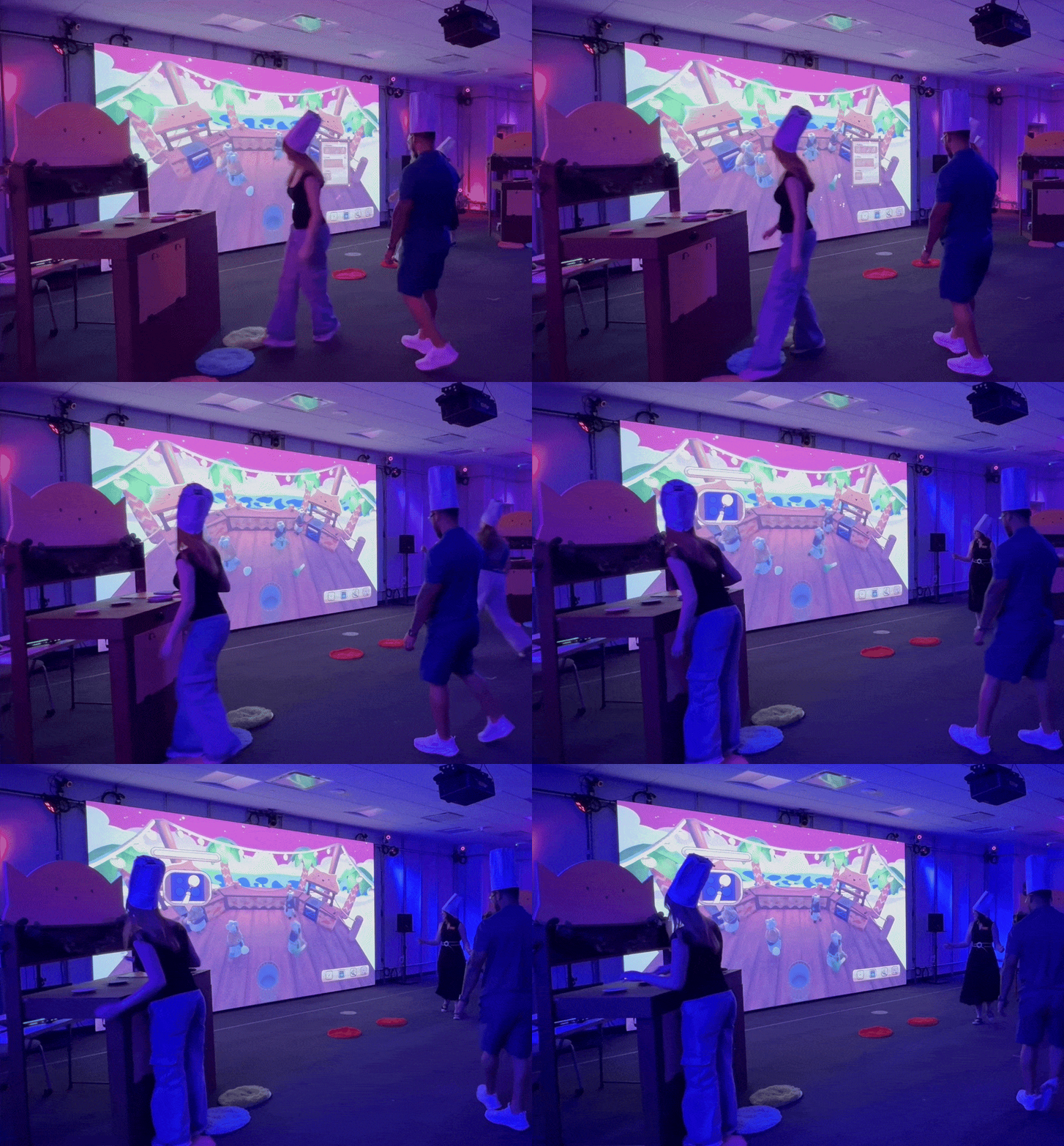
Key Systems Deep Dive
1. Cascading Recipe Reset System
When a player throws away an ingredient, the RecipeManager automatically resets all affected cooking steps:
- Throw away raw ingredient → Reset nothing
- Throw away chopped ingredient → Reset cutting step
- Throw away uncooked pie → Reset frying + cutting
- Throw away cooked pie → Reset oven + frying + cutting
Each IngredientData has a resetFromStep field. When destroyed, ingredients notify their team's RecipeManager, which cascades the reset. This prevents broken game states (e.g., frying step thinking you've chopped ingredients when you haven't).
2. Multi-Layered State Machines
┌───────────────┐
│ Skin Selection│  (Players walk to cat selection zones)
└───────┬───────┘
        │
┌───────▼────────────┐
│ Team Formation     │  (Players walk to Team A/B zones, wait 2s)
└───────┬────────────┘
        │
┌───────▼────────────┐
│ Pre-Game Graphic   │  (Chop! Fry! Bake! GO! animation)
└───────┬────────────┘
        │
┌───────▼────────────┐
│ Match Racing       │  (Cooking gameplay)
└───────┬────────────┘
        │
┌───────▼────────────┐
│ Victory Screen     │  (Team A/B Wins!)
└────────────────────┘
Three independent state machines coordinate gameplay:
- PreGameManager States: SkinSelection → WaitingToFormTeams → TeamsFormed → ShowingGraphic → Complete
- GameManager States: NotStarted → Racing → Finished
- CookingStep States: Idle → ReadyToStart → InProgress → Completed/Failed
Each manager only cares about its own state transitions. GameManager doesn't know about player selection. CookingStep doesn't know about win conditions. Clean separation of concerns.
3. Generic StepUI System
StepUI<T> where T : CookingStep provides:
- Show/hide with animation delays
- Progress bar lerping (smooth visual updates)
- Success/failure effect triggering
- Coroutine management
Each specific UI (cutting, frying, oven) inherits and adds ~50 lines for step-specific visuals (knife animations, pan stirring, dial rotation). The base class handles all the boilerplate.
Testing & Development Infrastructure
One of the biggest challenges was developing a game that requires motion-capture hardware, physical Arduino controllers, and OSC networking. We built multiple testing layers so we could work anywhere:
Layer 1: Physical Hardware (Production)
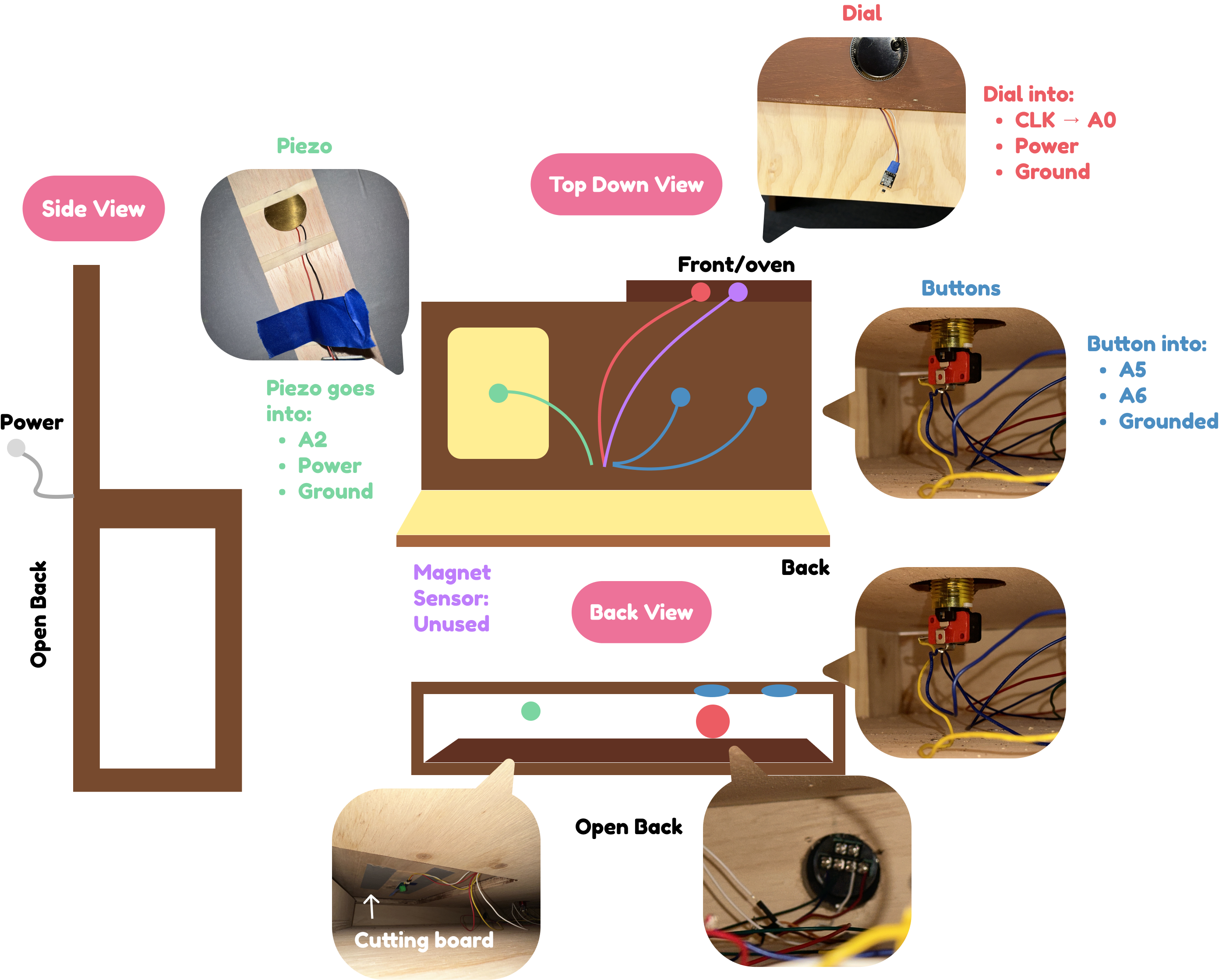
Arduino sensors and wiring in the physical kitchen setup
Layer 2: OSC Simulation (Lab Testing)
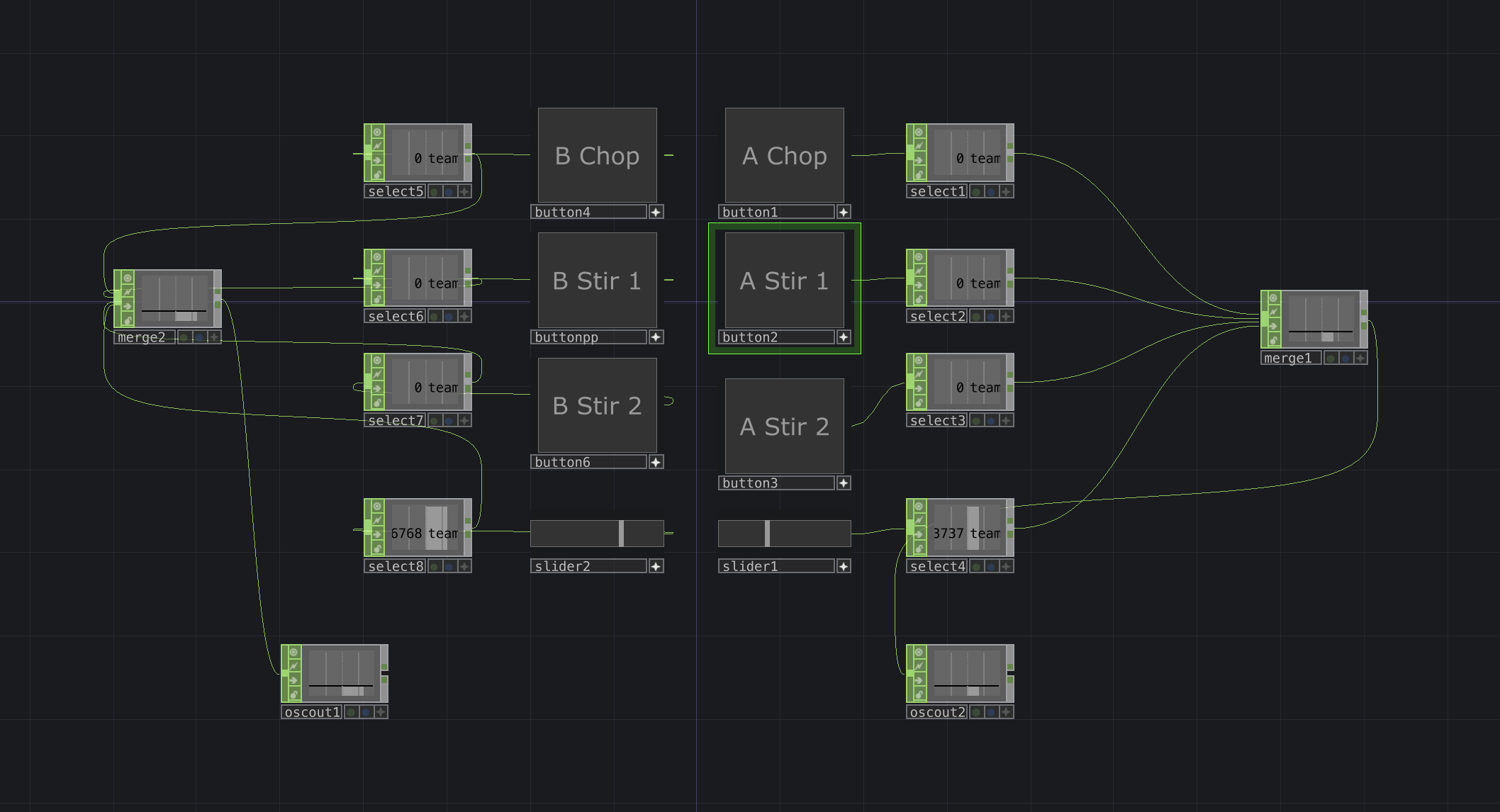
Custom TouchDesigner button simulator for rapid iteration
- Chataigne can send manual OSC messages for testing specific inputs
- TouchDesigner button simulator we built for rapid iteration
- Allowed testing Arduino logic without wiring up hardware every time
Layer 3: Unity UI Simulators (Desk Development)

In-game UI simulator buttons for desk testing
We created in-game simulator panels that call ArduinoManager's simulation methods:
- ChopButtonSim: Cycles through chop strengths (bad/okay/good/verygood)
- StirButtonSim: Simulates alternating stir buttons
- SliderSim: Unity slider that mimics potentiometer input
- DoorButtonSim: Toggle oven door open/closed
Layer 4: Debug Mode (Anywhere)
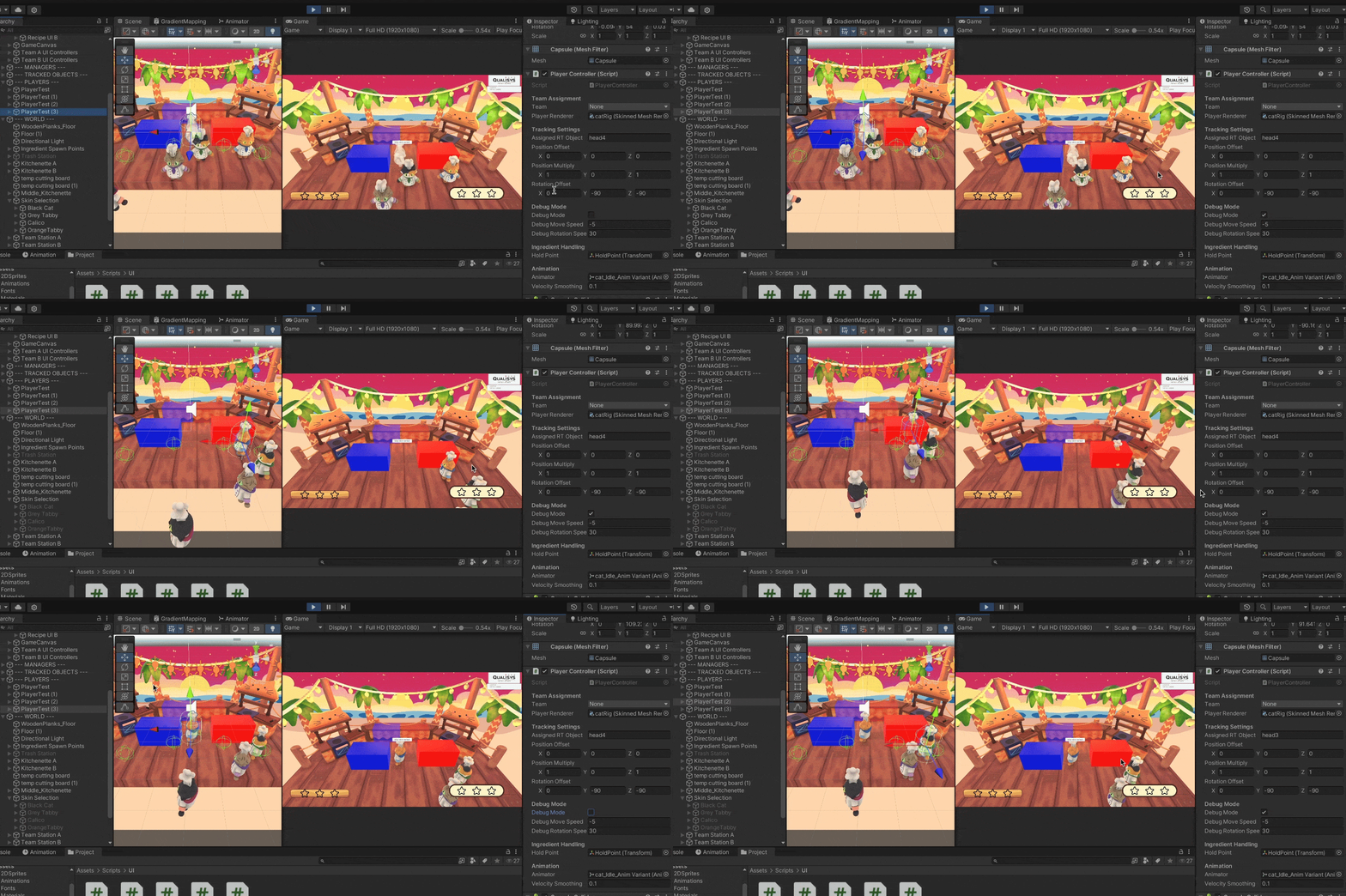
Debug mode allows laptop testing with WASD controls
PlayerController has a debugMode flag that:
- Disables motion-capture tracking
- Enables WASD keyboard movement
- Uses same velocity-based rotation as tracking
- Lets us test game logic on laptops outside the lab
Impact: This infrastructure meant we could do the bulk of bug testing without the motion-capture lab. Most gameplay logic, UI, and Arduino integration was built and tested at desks with keyboard controls and Unity buttons. When we finally brought it to the lab, core systems worked immediately—we only needed to calibrate tracking offsets.
Design Pivots: From Playtest to Polish
Sprint 4 Playtest: The Turning Point
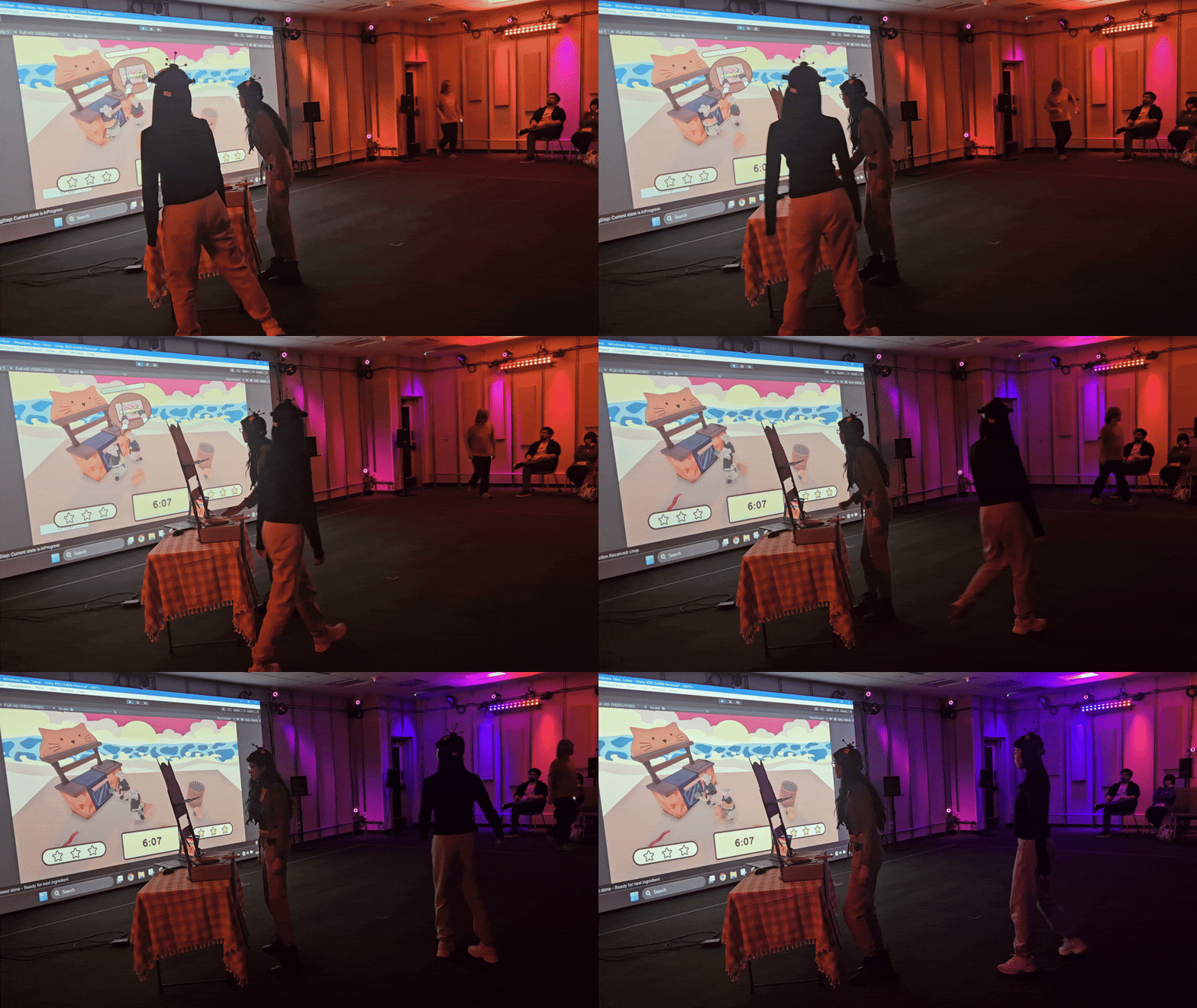
Our first major playtest revealed that while the core concept was fun, the execution had serious issues. Player feedback clustered around two main themes: clarity and pacing. Here are the critical design changes that resulted:
PIVOT 1: Clarity
Core Problem: "I don't know what's going on"
Players were confused about game state, ingredient requirements, and what to do next. We addressed this through several interconnected changes:
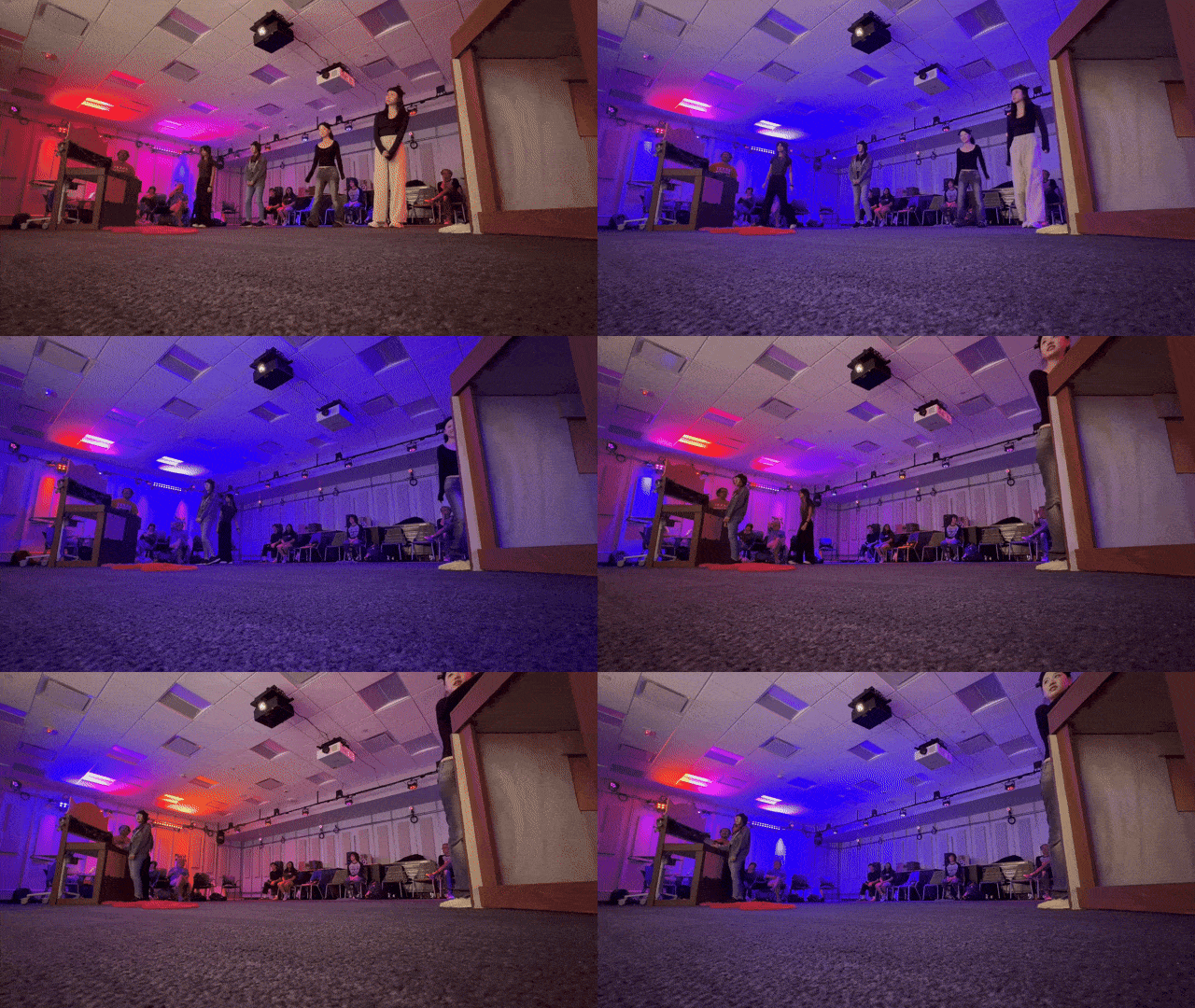
Spread Out the Stations
Before
All three cooking stations overlapping within kitchen space
After
Stations moved to separate parts of the kitchenette
Impact: When stations were overlapping, players were not sure which stations they were activating and didn't know how to get their ingredients to the right place. When we spread the stations out, it clarified the different steps and made each station feel like a distinct destination.
Clearer Progress Indicators
Before
Generic star icons marked completion
After
Station-specific icons (knife, pan, oven) show which steps are complete
Impact: Stars were ambiguous; players couldn't quickly glance to see if they'd chopped, fried, or baked yet. Station icons became an instant visual language.
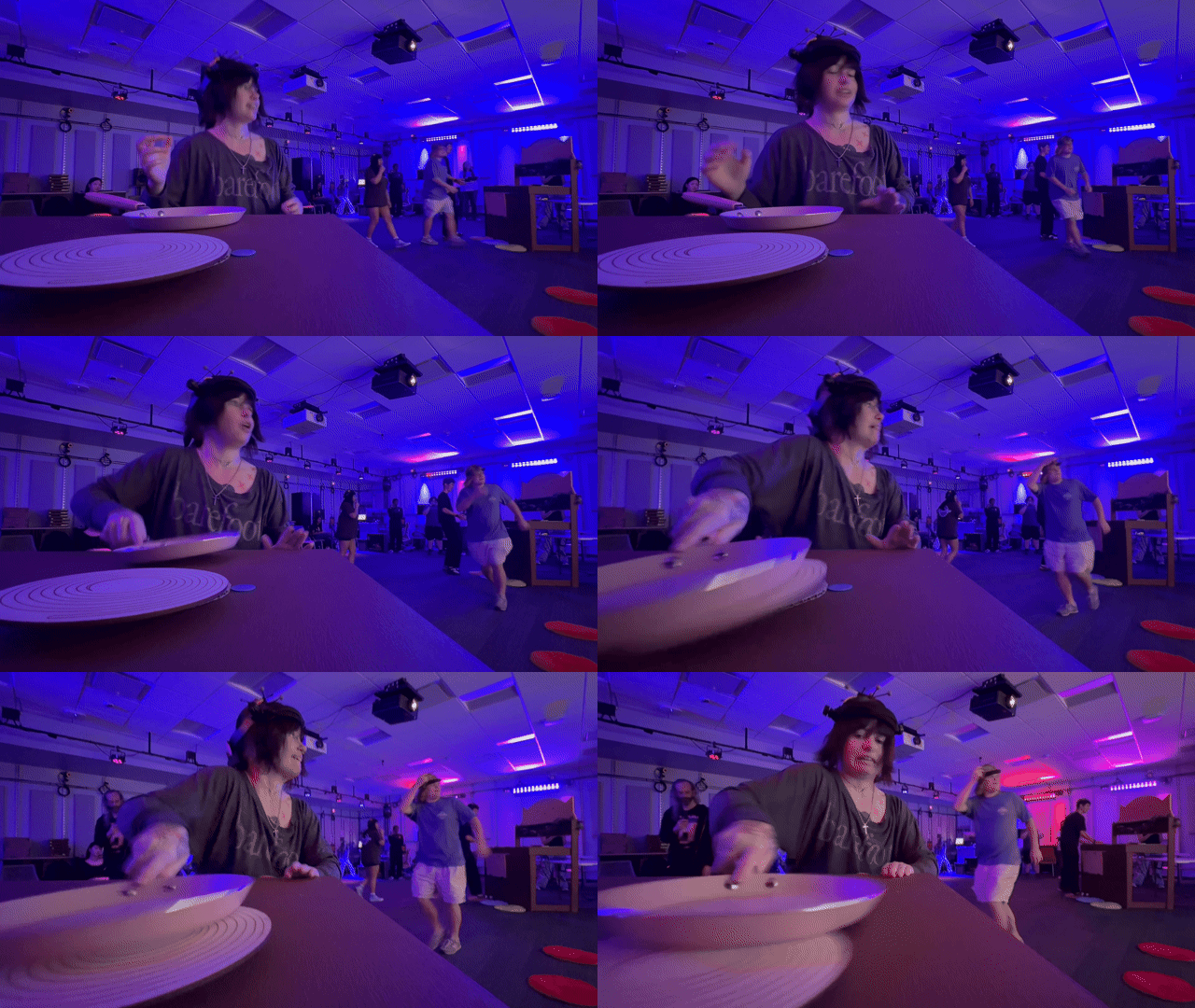
Simplify Ingredients
Before
Each ingredient had separate "chopped" states
After
Chopping station outputs one universal "bowl of chopped ingredients"
Impact: Visual clutter reduction. Players don't care that the onion became "chopped onion"; they care that they've completed the chopping step. This simplified station gameplay and made the recipe flow clearer.
Match Physical to Digital Affordances
Before
Oven used a horizontal progress bar
After
Circular dial UI that matches the physical potentiometer
Impact: When physical controllers don't match on-screen representation, players get confused, and the UI feels less reactive and less immersive. A dial controller should show a dial UI.
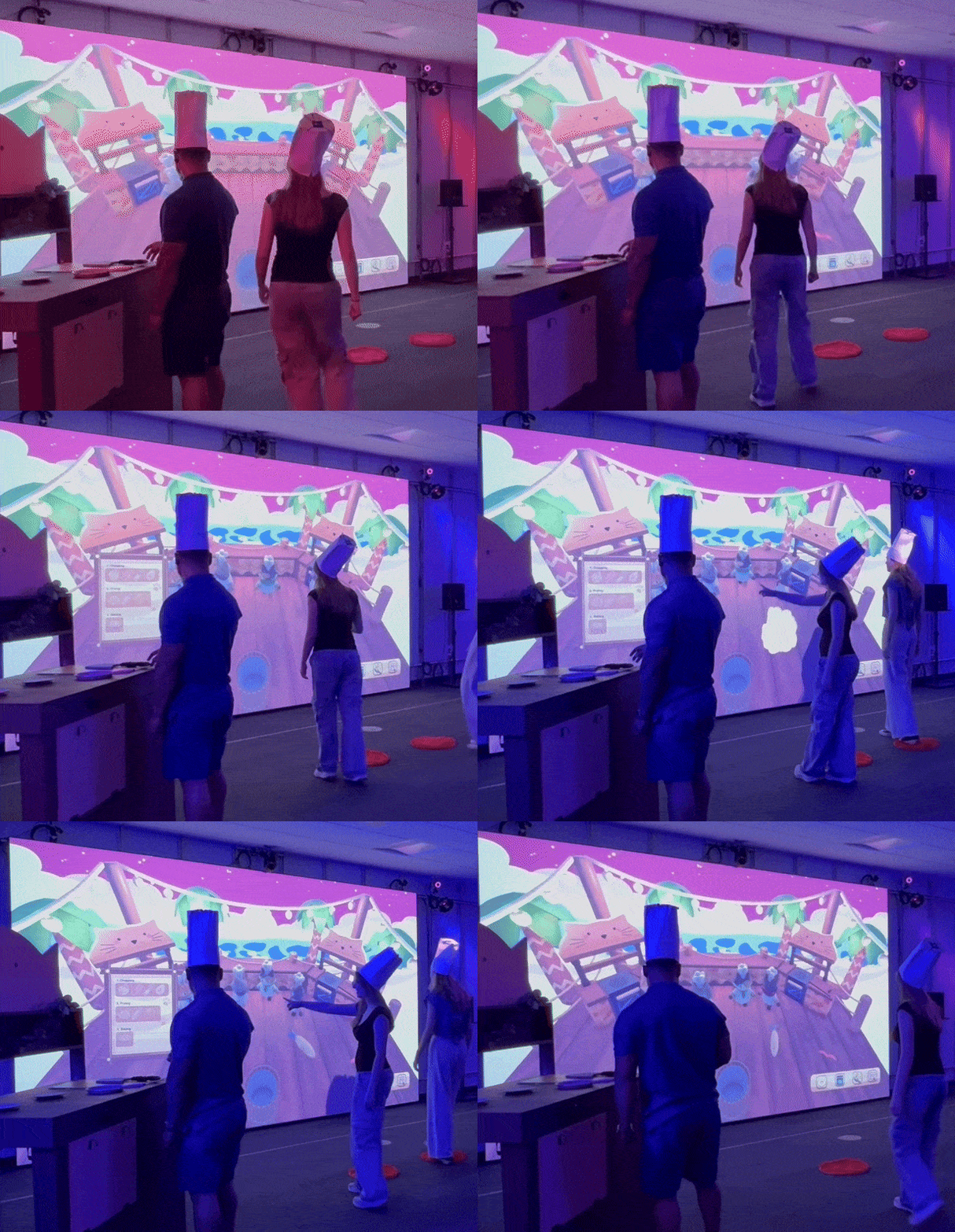
Create Recipe Reference System
Before
Players had to run to stations empty-handed to see what was needed
After
Recipe book panel appears when standing at present station without final ingredient, showing exactly what's needed for every step
Impact: Separating the recipe book from the regular stations increases the time players have to spend running between, which adds to the fun chaos we're aiming for. It also allows for more team collaboration. It works much better than the per-station approach, as it's far more difficult to be in the stations empty-handed than it is to be at the present station with a completed pie in your hands!
PIVOT 2: Speed Up
Core Problem: "It just feels too calm"
The game lacked urgency and tension. Players described it as "relaxing" when we wanted "frantic chaos." We needed to inject speed and consequence:
Make Minigames Harder – Add Failure States
Before
Chopping: Hit button 10 times, no failure
Frying: Stir for a few seconds, step completes
After
Constantly decaying progress bar for both stations
If bar hits zero, step fails, and ingredient is lost
Impact: Transformed minigames from rote actions into skill-based challenges. Physical effort intensity now directly correlates to success. Missing chops or sloppy stirring has consequences.
Speed Up Player Movement
Before
Pretty slow movement animation
After
Increased speed of movement
Impact: We found that with slow movement animations, players did not feel like they were in a rush to get around, despite being in an intense game. By increasing their movement speed in-game, we created the feeling of frantic rushing, which led to players following their in-game characters' lead!
Speed Up Visual Feedback
Before
Ingredients had slow, gentle bounce animations
After
Faster bounces + ingredients shrink over time (15-second despawn timer)
Impact: Visual urgency cues. Seeing ingredients shrink creates time pressure that makes the game much more exciting!
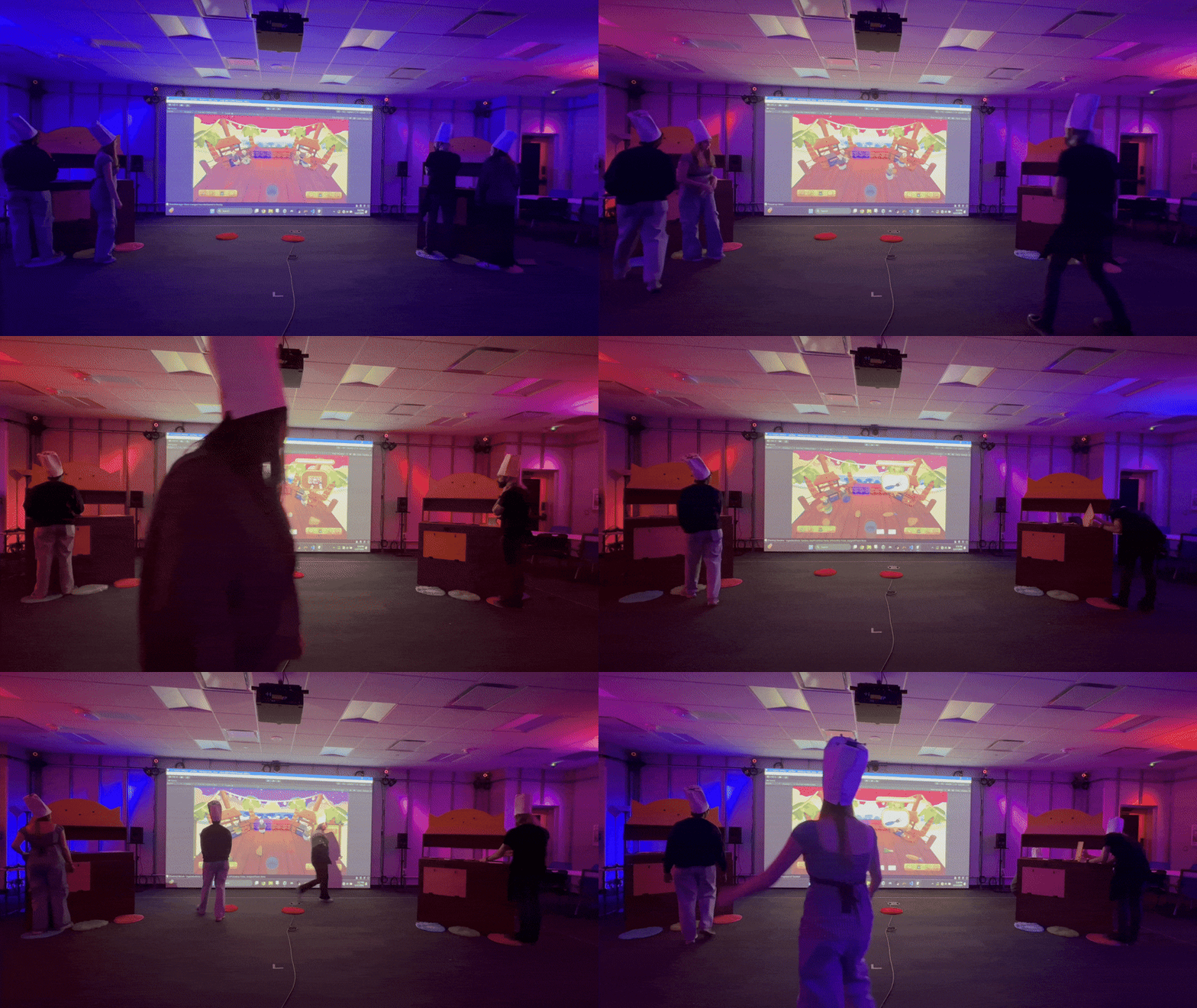
Overall Design Philosophy Shift: These pivots collectively moved us closer to our goal: a physical execution game where challenge came from speed, coordination, and not messing up under pressure. Much closer to our Overcooked inspiration!
Reflections

Overall, this is my most complex and challenging project to date. I challenged myself at the beginning to not only learn new ways to connect different interfaces together, but also to not shy away from creating complicated, robust systems in code rather than going for the simple, band-aid-on-a-bullet-hole solution. I also picked up a lot of new and interesting fabrication skills and techniques along the way, many of which I want to continue to explore, like soldering and wood fabrication.
This project also reflects my interest in creating usable systems. I wanted to build early and build well; I finished the main game system by week 3. I created lots of helper functions and exposed a lot of parameters because I knew we would want to tweak as we went along, and I learned a lot about creating tools that are useful for people who aren't as comfortable with code as I built systems for the whole team to utilize.
Finally, I love the total immersion of this project. Using your body as a controller, using a physical kitchen, and connecting to a digital experience all at once really brings people all in on the fun, silly, and competitive spirit of the game.
Future Expansion
To expand on this project in the future, I'd like to:
- Repaint the physical kitchens to match the game aesthetic to add to the immersion
- Utilize OSC output from the game to the immersive lab lights so that the room itself reacts to the gameplay
- Build a marker system for the trigger areas and the kitchenette so that instead of having to manually set up the room, the scene creates itself based on motion-capture marker positions