Gradient Mapping Shader Exploration
Two gradient mapping systems: a precision three-color shader designed to reduce frame-by-frame animation work and a flexible six-color shader for general-purpose stylized effects.
Project Overview
This project explores two distinct approaches to gradient mapping in Unity's Shader Graph, each solving different production challenges. The precision three-color rocket shader was designed specifically to reduce animation workload by handling color variations procedurally rather than through frame-by-frame hand-painting. The flexible six-color shader provides more general-purpose color remapping with extensive gradient control—ideal for diverse stylized effects and rapid iteration across different asset types.
Shader Demonstrations
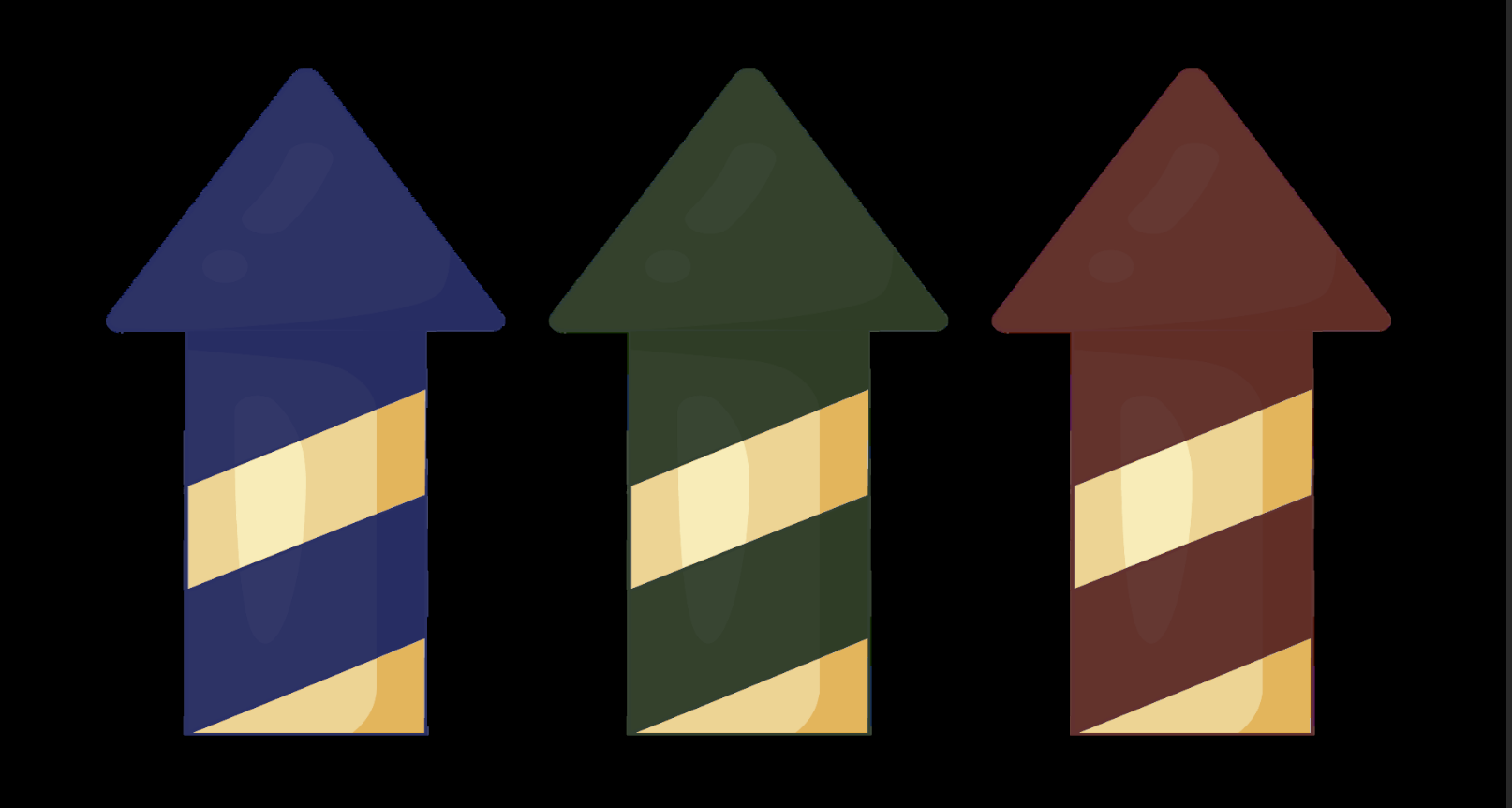
Single Grayscale Source, Multiple Color Outputs
These three rocket variations demonstrate the power of the gradient mapping approach—all three use the identical grayscale texture, with only the shader gradient parameters changed. The blue, green, and red variants showcase how a single sprite asset can generate unlimited color variations without additional texture memory or artist time spent on repainting. This is the core value proposition: one grayscale animation sequence becomes dozens of unique color variants through parameter adjustment alone.
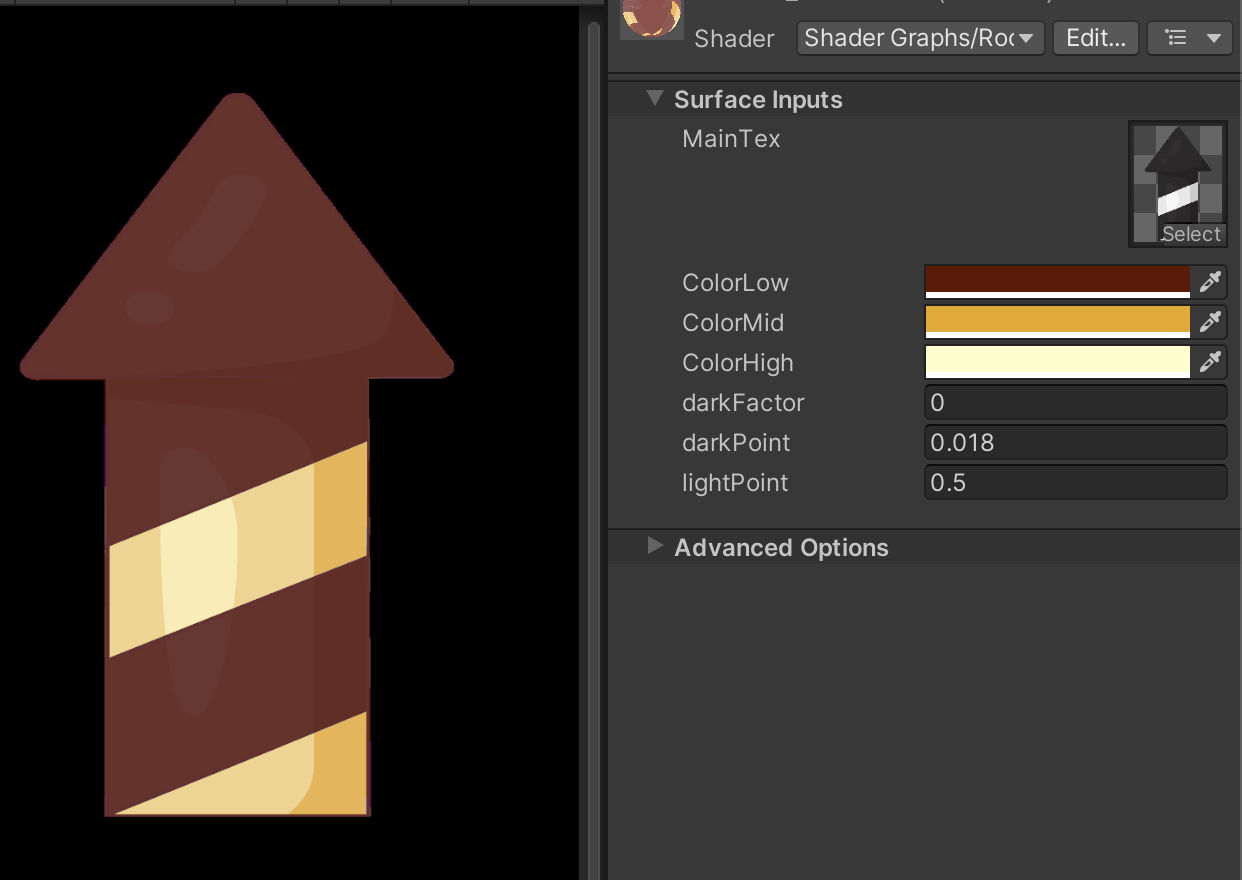
Artist-Friendly Parameter Exposure
The shader exposes intuitive parameters directly in Unity's inspector: MainTex for the grayscale sprite, three gradient color stops (ColorLow, ColorMid, ColorHigh), and control values for darkPoint and lightPoint that define gradient distribution. This interface allows artists to create new color variants in seconds without touching the shader graph, making the system accessible to the entire team. The darkFactor parameter provides additional shadow intensity control, giving fine-tuned artistic control over the final appearance.
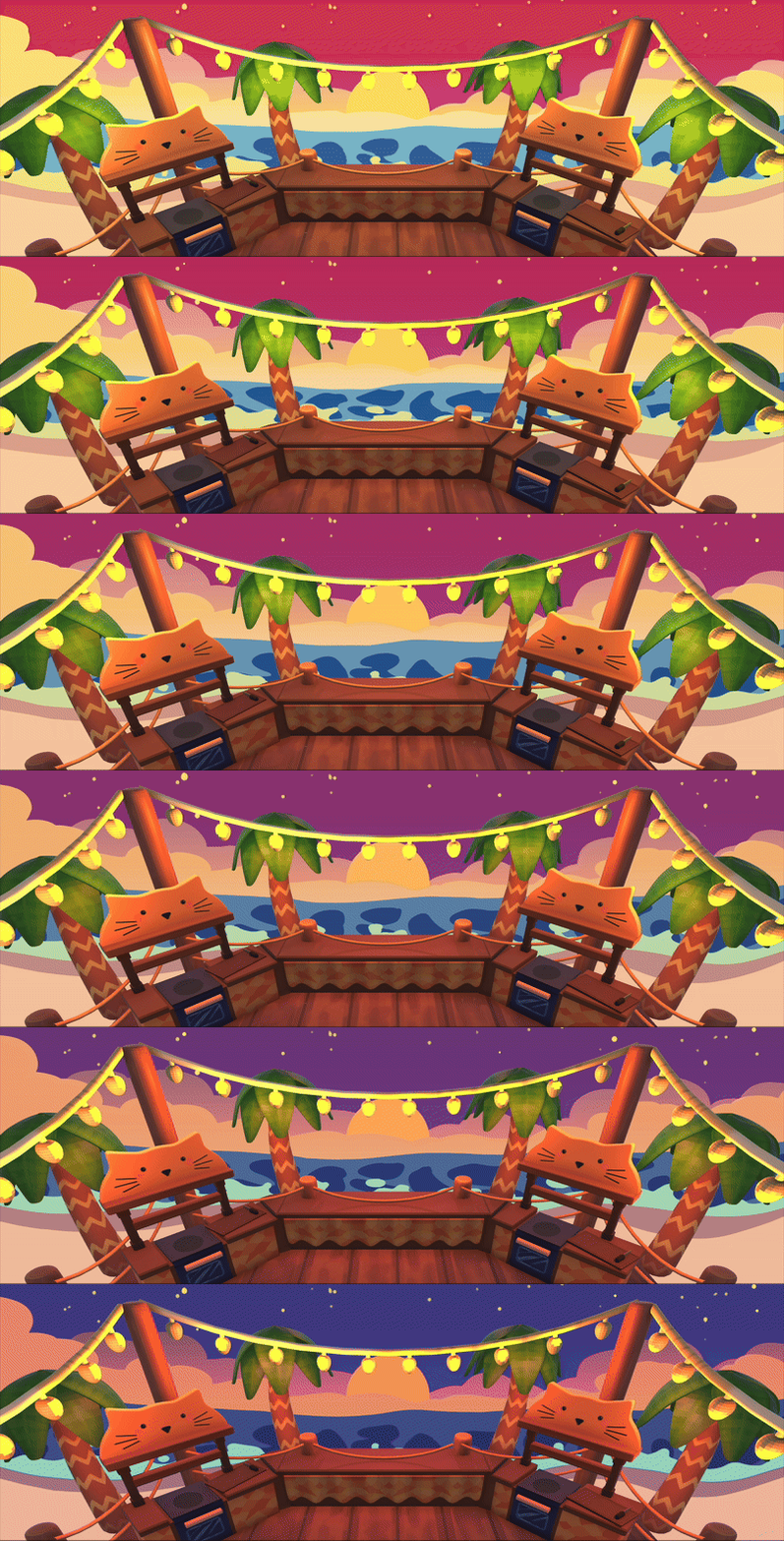
Production Integration
The dual-gradient lerp shader in action within the actual game environment, demonstrating smooth color transitions on the background elements. The shader integrates seamlessly into the rendering pipeline, maintaining consistent visual style while providing runtime color control. This implementation shows how technical art solutions translate from isolated shader development into production-ready assets that enhance the game's visual identity without compromising performance.
Precision Three-Color Shader System
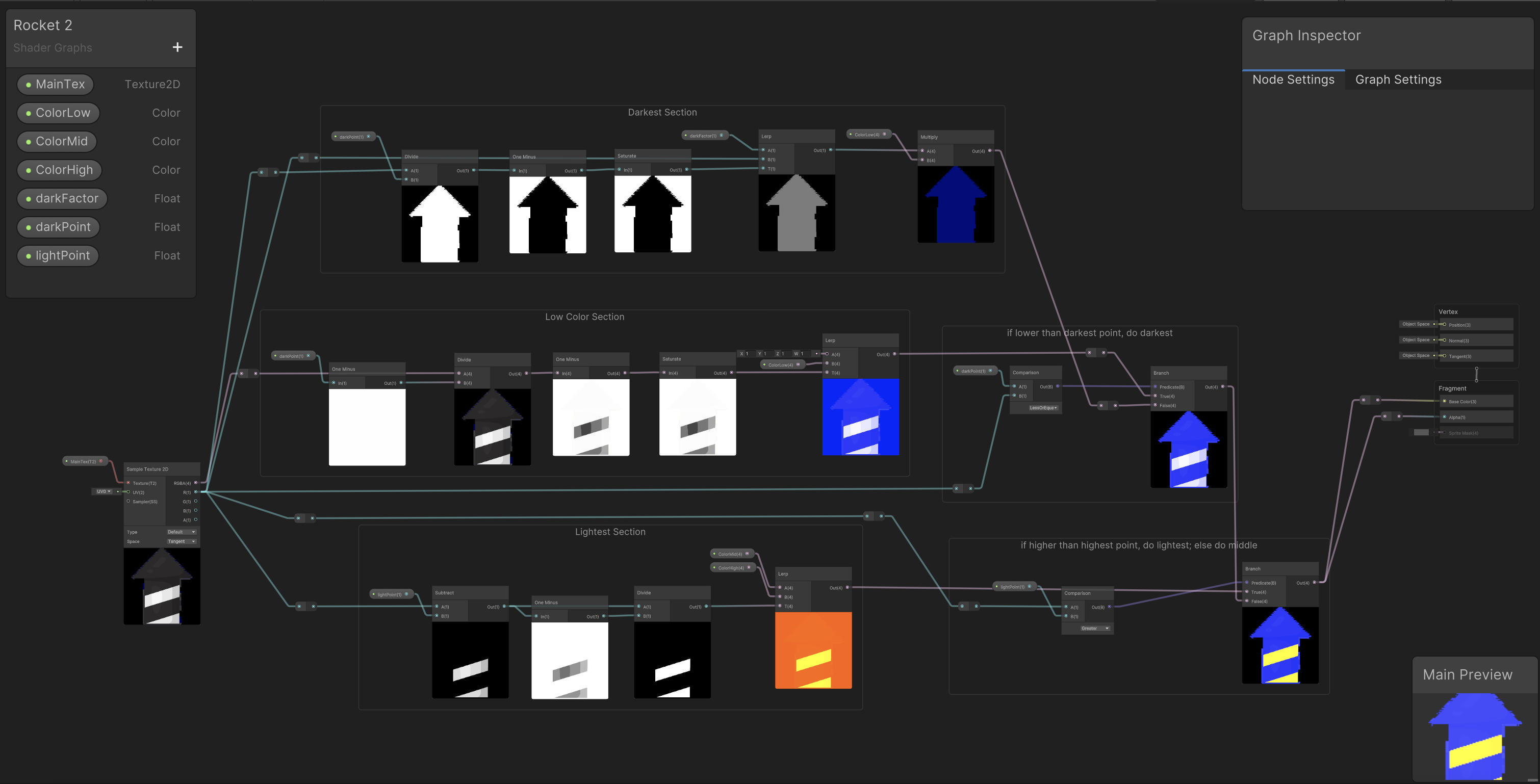
Precision Three-Color System for Animation
This shader implements a focused three-color gradient system optimized for sprite animation workflows. Unlike general-purpose gradient mappers, this design prioritizes precision and consistency—critical when replacing hand-painted color work across animation frames. The architecture uses exposed color parameters (ColorLow, ColorMid, ColorHigh) with carefully tuned darkPoint and lightPoint controls that define exact gradient distribution. This precise mapping ensures that animated sprites maintain visual consistency across all frames when color variants are generated procedurally.
Gradient Construction and Saturation Mapping
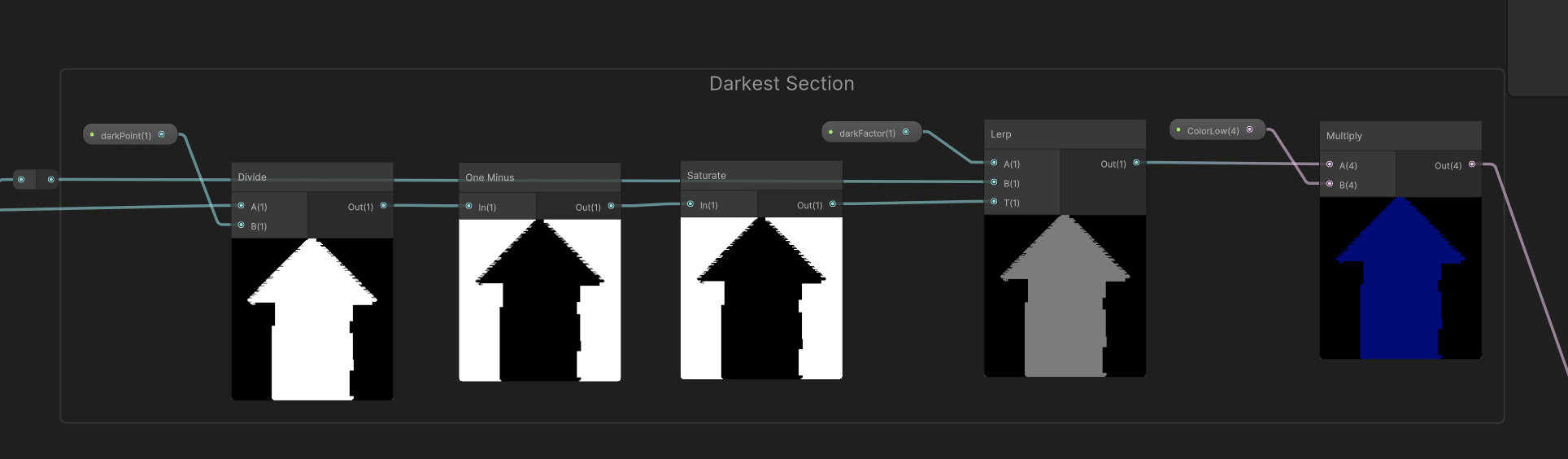
This section handles the initial gradient construction by processing the input texture's luminance values. The divide and one-minus operations remap the texture's grayscale information to create gradient segments, while the saturate node clamps values to the 0-1 range. The multiply node with darkFactor controls shadow intensity, feeding into the lerp chain that builds the final gradient. This mathematical approach ensures smooth transitions between color stops while giving artists direct control over shadow depth and color band distribution.
Texture Sampling and Color Layering
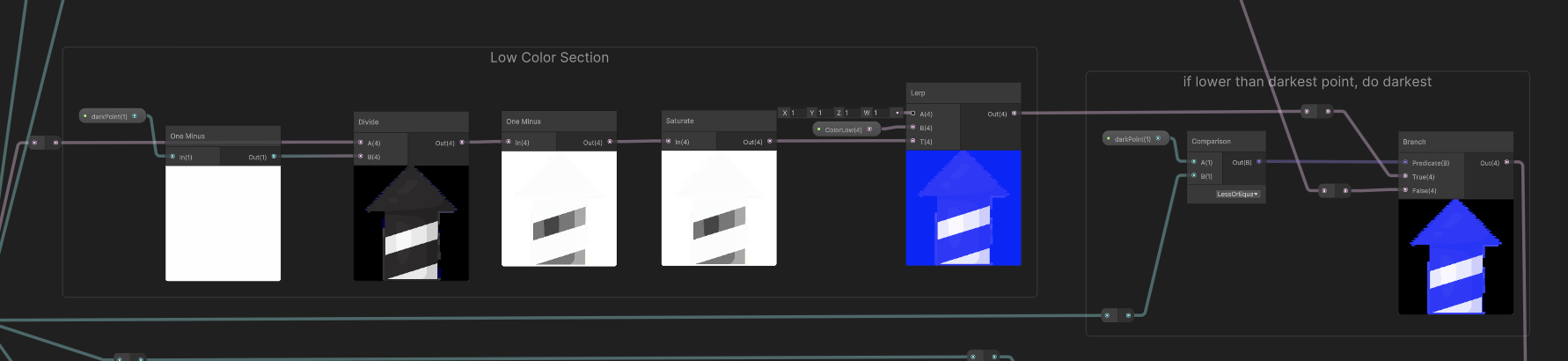
The core color blending occurs here through a series of lerp operations that combine the three gradient colors based on the processed luminance masks. Sample Texture 2D nodes pull from the base sprite, while the color layers are composited using the gradient segments created in the previous stage. The branch nodes at the bottom route to different color outputs, enabling the dual-gradient system where two complete three-color gradients exist simultaneously, ready for temporal or parametric blending.
Gradient Interpolation and Output
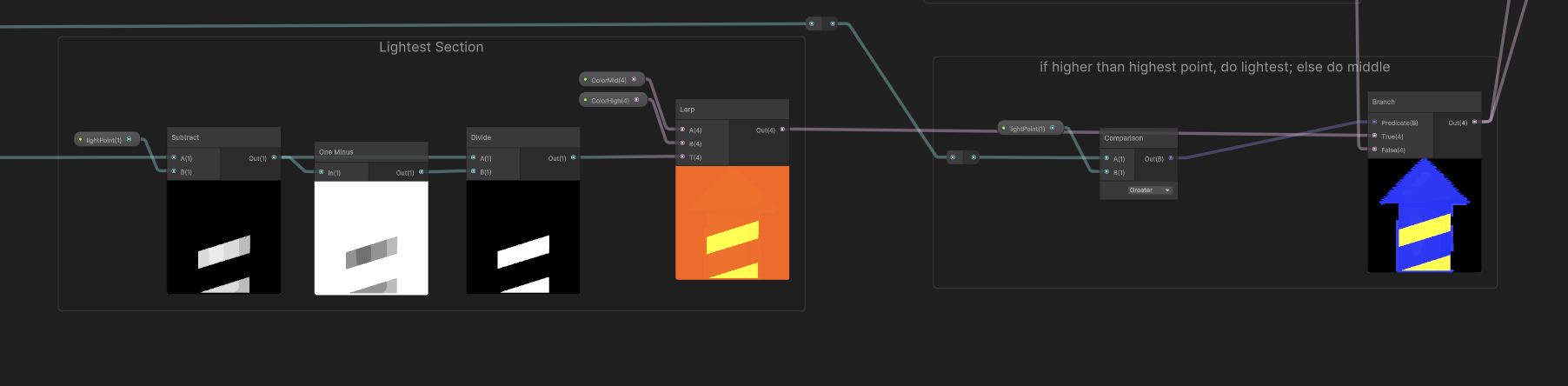
The final stage interpolates between the two complete gradient chains using the BlendTime parameter, enabling smooth animated color transitions. The comparison and lerp nodes allow conditional switching between color configurations, while the branch nodes route to vertex and fragment shader outputs. This modular design means the shader can be driven by timeline animation, game state changes, or interactive parameters, providing maximum flexibility for different use cases without shader recompilation.
Flexible Six-Color Gradient System
The six-color shader provides a more general-purpose gradient mapping solution with increased color resolution for complex stylized effects. With six distinct color stops (ColorA_1 through ColorB_3) organized into two interpolatable gradient sets, this shader offers extensive artistic control for diverse visual styles. The dual-gradient architecture enables smooth transitions between different color schemes through time-based or parametric blending, making it versatile for effects work, environmental assets, and any scenario requiring dynamic color manipulation beyond the focused precision of the three-color animation shader.

Extended Color Control for Stylized Effects
This shader's architecture supports six distinct color stops, providing nuanced gradient distribution across the sprite's luminance range. The increased color resolution compared to the three-color system allows for more complex gradient shapes and smoother transitions between hues. The time-based interpolation between ColorA and ColorB gradient sets enables animated color shifts for effects like magical auras, environmental state changes, or dynamic lighting responses. This flexibility makes it ideal for general-purpose stylized rendering where artistic expression takes priority over the strict consistency requirements of frame-by-frame animation replacement.
Production Impact
Workflow Optimization
The precision three-color rocket shader fundamentally changed the sprite animation workflow by separating luminance animation from color design. Artists can now animate in grayscale once, then use the shader to generate multiple color variants by adjusting gradient parameters. This eliminated hundreds of hours of redundant frame-by-frame painting that would have been required to create color variations manually. For example, a 60-frame animation that needed five color variants would traditionally require painting 300 frames—with this shader, it requires painting 60 grayscale frames and configuring five gradient presets. In the long run, we could further this, by converting frame-by-frame animations into realtime procedural animations, drastically reducing asset storage needs and iteration time.
Technical Flexibility
Both shaders demonstrate different approaches to runtime color manipulation. The three-color rocket shader prioritizes precision and production efficiency for animation workflows, ensuring frame-to-frame consistency when generating color variants. The six-color system excels at general-purpose stylized effects where artistic flexibility and complex gradient shapes are needed. Together, they showcase how thoughtful shader design can solve both specific production bottlenecks and broader creative challenges, reducing asset overhead while expanding artistic possibilities.
Reflections & Growth
What I Learned
This project reinforced the importance of understanding production pipelines when designing technical art solutions. Building the three-color rocket shader required understanding animation workflow pain points, teaching me that the best technical art doesn't just solve visual problems, but also workflow problems. I deepened my knowledge of luminance-based color remapping, gradient construction optimization, and the trade-offs between color resolution and consistency. The project highlighted how shader design decisions impact iteration speed, asset storage requirements, and team efficiency, particularly the realization that more color stops doesn't always mean better results when precision and consistency are priorities.
Alignment with My Goals as a Technical Artist
These gradient mapping systems exemplify my approach to technical art: create flexible, artist-friendly tools that solve real production problems. It also creates a system that encourages iteration, which is a process I often use in my work in game development. I want to continue to build tools that make both artist and engineers' lives easier without sacrificing high visual quality.