An Unreal Engine Editor Utility Widget that deforms selected static meshes into spherical shapes via Blueprint scripting.
RoleTechnical Artist
TimelineSpring 2025
Team SizeSolo Project
ToolsUnreal Engine, Material Graphs
Shader DevelopmentVFXUnreal EngineTechnical Art
Sphereize Tool Demo
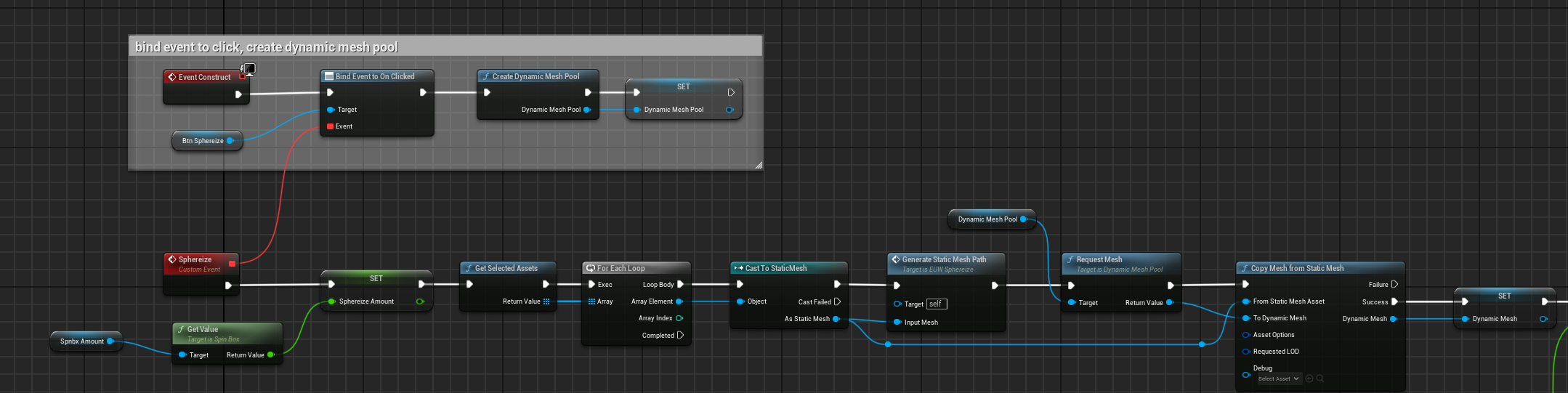
Event-driven mesh pool architecture
This blueprint graph establishes the core workflow by binding click events from the utility widget to dynamically create a mesh pool from selected static mesh assets. The system casts selected objects to static meshes, generates dynamic mesh instances, and feeds them into a custom sphereize function that processes each mesh individually. The modular event-driven architecture allows real-time mesh deformation within the editor environment.
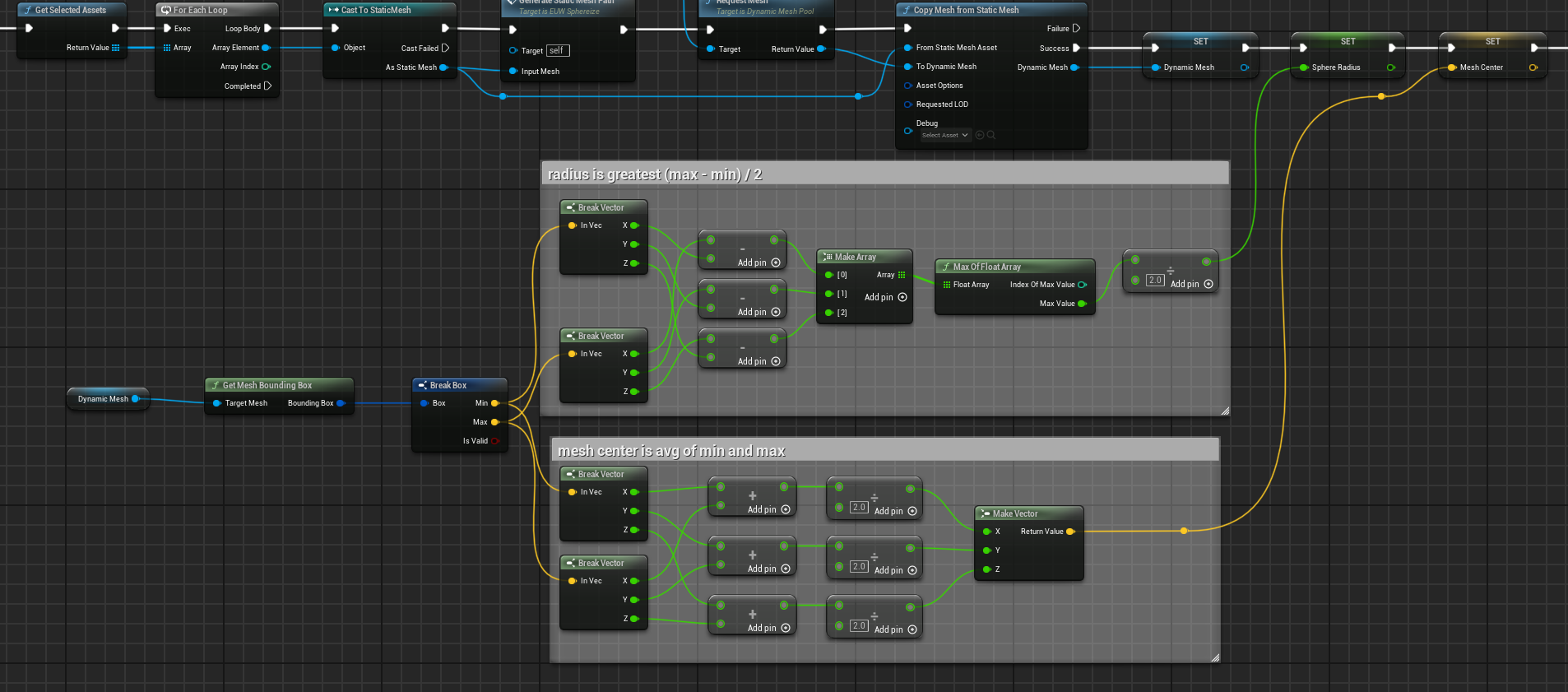
Bounding sphere calculation
This section calculates the optimal bounding sphere for mesh deformation by determining the radius (greatest dimension divided by 2) and center point (average of min/max bounds). The breakdown of XYZ components through vector operations ensures accurate geometric calculations that serve as the foundation for the vertex displacement algorithm. This mathematical preprocessing enables consistent spherical deformation regardless of the input mesh’s original dimensions.
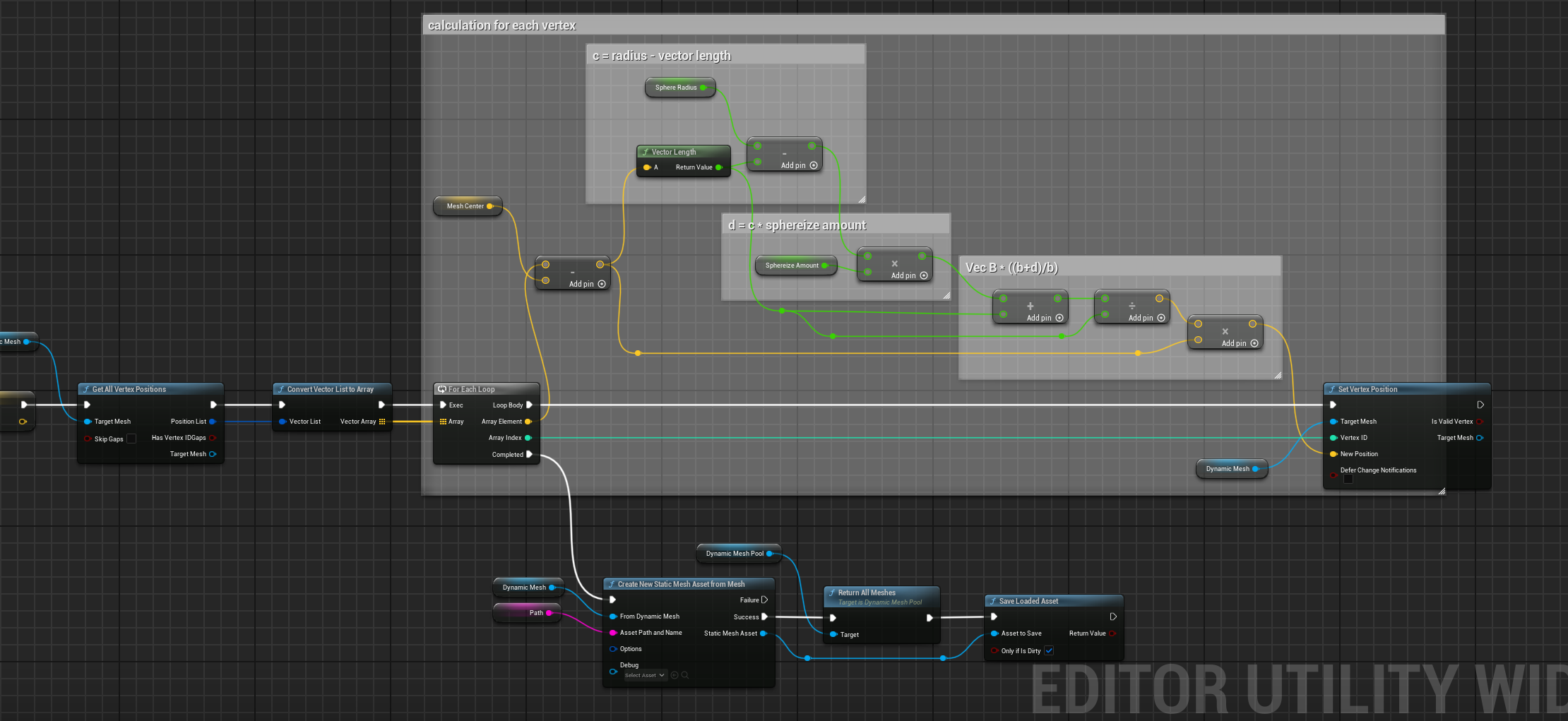
Per-vertex spherical displacement
This graph implements the core vertex-by-vertex deformation algorithm, calculating the displacement vector for each vertex based on its distance from the sphere center. The formula Vec B * ((b+d)/b) where d = c + sphereize amount creates smooth radial displacement, pushing or pulling vertices to conform to the spherical shape while preserving relative spatial relationships. The final step saves the modified mesh as a new static mesh asset, making the deformation permanent and usable in production.
Reflections & Growth
What I learned
Through developing the Sphereize Editor Utility Widget, I deepened my understanding of Unreal Engine’s Blueprint system and event-driven architecture. I learned how to manipulate mesh data at a vertex level, applying mathematical concepts to achieve complex deformations. This project enhanced my problem-solving skills as I navigated challenges related to dynamic asset creation and real-time editor interactions. Additionally, I gained experience in designing user-friendly tools that streamline workflows for artists and designers.
Alignment with my goals as a technical artist
In developing this tool, I continued to hone my skills in creating efficient, user-friendly tools for Unreal Engine. Tools in mesh creation and manipulation are an important aspect of technical art, and this project allowed me to explore that area in depth.